> For the complete documentation index, see [llms.txt](https://playnetwork.gitbook.io/play-sdk-documentation/llms.txt). Markdown versions of documentation pages are available by appending `.md` to page URLs; this page is available as [Markdown](https://playnetwork.gitbook.io/play-sdk-documentation/sdk-integration-guides/getting-started/unity/tech-requirements.md).
# Tech Requirements
Unity integration
PLAY SDK requires the following software:
* Unity 2020 LTS or later. [Installation instructions.](https://unity.com/download)
* It is always recommended to use a late version of Unity for bug fixes and up-to-date compatibility.
## Prerequisites
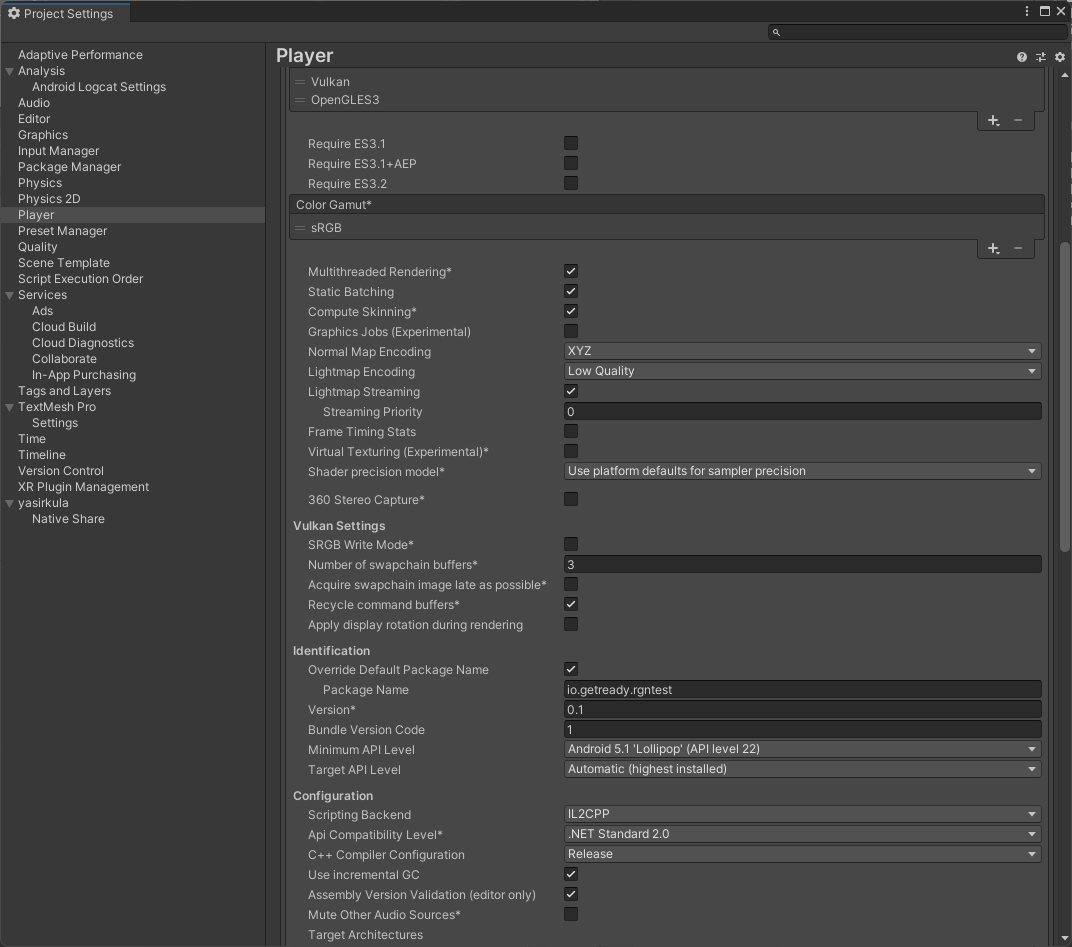
#### Setup your bundle identifier in the project setting:
1. Open project settings Unity window: **Edit->Project Settings...**
2. Select **Player** and open the **Other Settings** section
3. For iOS tab change the **Bundle Identifier**
4. For Android tab change the **Package Name**
#### Android
Choose Minimum API Level 23 in **Project Settings->Player->Other Settings**
For Android you can also change the Scripting Backend from Mono to IL2CPP. Since Unity Android Mono backend does not support arm64 which is required on [Android Play Market](https://docs.unity3d.com/Manual/android-distribution-google-play.html). But to keep the development iterations faster, you can also keep Mono and only later jump to IL2CPP.
For Android, Target API Level should be 33 or higher for Google Play Store compliance.
## Integration Support
If you are unable to find a solution in our documentation you can reach out to us directly by:
* Creating a GitHub issue [here](https://github.com/readyio/RGN-SDK-Example/issues/new/choose)
* Dropping a message in our Discord dev-chat [here](https://discord.gg/0xplay-network)